

You just unboxed your first projector and are ready for a cinematic experience. But projecting onto a bare wall often leads to washed-out colors and uneven brightness. That is where a motorized screen comes in, offering a crisp, professional surface that rolls down at the push of a button. For beginners, finding the right model can feel overwhelming with so many sizes and features. This guide focuses on the best motorized screens for beginners in 2026, highlighting easy setups, reliable remotes, and value for your first home theater or outdoor movie night. We have evaluated six top contenders to simplify your choice.


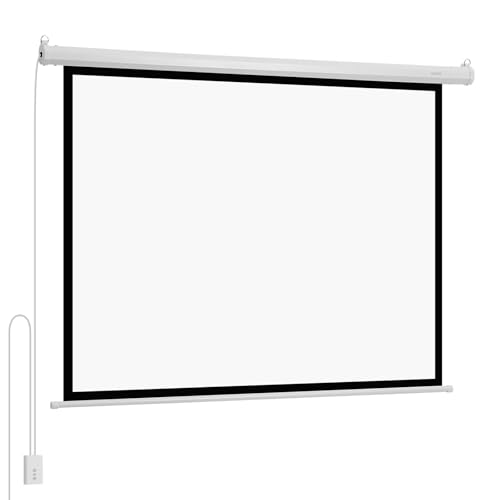

Buying Guide
Screen Size and Aspect Ratio
Size matters when you are starting out. Most beginners prefer a 100-inch diagonal for a true theater feel without overwhelming a living room or bedroom. The aspect ratio is almost always 16:9, matching modern movies and streaming content. For smaller spaces, a 72-inch or 92-inch screen can fit neatly. Always measure your wall or ceiling area before buying, as the case length is wider than the viewing area. For more on choosing the right dimensions, check out our guide on best motorized projection screens.
Motor and Remote Control Quality
A quiet motor and responsive remote make daily use effortless. Look for RF (radio frequency) remotes that work through walls and allow you to stop the screen at any height. Many models include a wall switch for backup control. Noise levels under 42 dB are ideal for not disturbing a movie. Beginners appreciate screens that come fully assembled with plug-and-play motors, avoiding complex wiring. The best motorized screens for patio often feature similar remote systems for outdoor convenience.
Screen Material and Gain
The screen surface affects image brightness and color accuracy. Matte white vinyl with a gain of 1.0 to 1.2 works well in dark rooms, offering wide viewing angles up to 180 degrees. Black-backed material prevents light from bleeding through, improving contrast. For beginners, a wrinkle-free design is a must, as creases can ruin the picture. Some screens are foldable for portability, while others are rigid for permanent installation. If you plan to use a short-throw projector, verify compatibility, as many motorized screens are not designed for UST models.
Installation and Mounting Options
Easy installation is key for first-time buyers. Most screens come with brackets for wall or ceiling mounting, but you must anchor into wood studs or concrete for safety. Drywall alone is not enough. Some models offer dual-side power inlets to simplify wiring. If you are renting or want flexibility, a portable motorized screen with a foldable design can be moved between rooms or outdoors. For more insights on fixed setups, see our best fixed frame screens for everyday use guide.
Final Thoughts
Choosing the right motorized screen as a beginner comes down to balancing size, ease of use, and build quality. For an affordable entry point with a large 92-inch display and a reliable remote, the SUPER DEAL 92” 16:9 HD Motorized Projection delivers impressive value. If you prefer a premium, weather-resistant option for both indoor and backyard movie nights, the AWOL Valerion 120″ Motorized Projector Screen stands out with its rechargeable design and 4K readiness. Whichever you pick, you will enjoy a theater-grade experience without the complexity.
Frequently Asked Questions
How do I install a motorized projector screen as a beginner?
Most motorized screens include mounting brackets and hardware for wall or ceiling installation. You need to locate wood studs or concrete anchors to support the weight. Many models come fully assembled, so you just mount the case, plug in the power, and use the remote. If you are unsure, a friend can help with the lifting, as screens over 100 inches can be heavy.
Can I use a motorized screen outdoors?
Yes, but only if the screen is rated for outdoor use. The AWOL Valerion 120″ model is waterproof and rechargeable, making it ideal for backyard movie nights. Standard indoor screens should be kept under a covered patio or used only in dry conditions to avoid damage. For more ideas, explore our list of best motorized retractable patio screens.
What is the difference between RF and IR remotes for screens?
RF (radio frequency) remotes work through walls and have a longer range, often up to 100 feet. IR (infrared) remotes require a direct line of sight to the screen. For beginners, RF remotes are more convenient because you can control the screen from another room. Many screens include both types for flexibility.
Do motorized screens work with all projectors?
Most motorized screens work with standard throw projectors and support resolutions from 720p to 8K. However, they are not compatible with ultra short-throw (UST) projectors unless specifically stated. Always check the product details for compatibility. For UST projectors, consider an ALR screen instead.




